Donnerstag, 14. März 2013

Google Has Begun Purging Ad-Blocking Apps From The Play Store


Thanks a lot google! Great news!

According to Android developer Jared Rummler and a number of other sources, Google has begun purging known ad-blocking software from the Play Store today.

Mittwoch, 6. März 2013

Best android apps for android developers


Hellow fellow android developers.

Today I am going to share a few free apps, every android developer should at least have checked out. These apps are especially for android developers and not just "normal" android users.

Device Frame Generator


android device frame generatorThe first one is one of my favorite apps I mentioned in another blog posting. It's called Device Frame Generator.
After you created a screenshot of your awesome app, just pop up the app, choose a device and add your screenshot. BAM!
You got a really nice and crisp screenshot inside your device.

Don't like this app? Just head over to the device art generator where you can do the same on the web.


Andlytics

Andlytics collects statistics from the Google Play Developer Console. It lets you track active installs, total installs, ratings, and comments for all your Android apps that are published on Google Play.
android andlytics

Andlytics is an awesome app for every android developer, who has put some apps to the play store. It will show you detailed statistics about our apps, ratings, downloads etc.
After your first install, dont be to disappointed cause it will not show statistics.
It needs to collect them for you and will do this on a regular base (configurable). So after a few days you can enjoy these statistics.

This app also notifies you about new ratings, comments etc, so you don't need to check the play store anymore ;)

Get it here!


Bitbeaker/Bitbucket


android bitbeakerBitbucket offers free private git repositories. Their app bitbeaker is currently a very basic git repository tool. But it's a cool app to keep track of your repository and issues.

Give it a try!


DevAppsDirect


android dev apps directA rather new and small app. It aims to list cool android libraries, extensions, widgets etc. Most of the libs should not be new to you, but I like the idea of the app and if the developer keeps it updated I think it will be a cool source to find new useful libraries. Play Store Link


Montag, 25. Februar 2013

Holo Timer for Android


Looking for an android Timer app in Holo style?
Check out this clean app.
Holo Timer is a very lightweight timer app for android. It's size is less then one megabyte and it won't drain your battery.
Well and the best part is...it's free!


So head over to the play store and get this cool fully customizable timer app.


Sonntag, 24. Februar 2013

Howto disable Simpsons Tapped Out Notifications

Simpsons Tapped Out is a really cool app I enjoy a lot. The only thing that bothers me is the notifications. If cannot be disabled.

To deactivate the Tapped Out Notifications you need at least android 4.1. You can disable a notification by doing a long click on the notification and select "App info".

Scroll down for an android app, which you can use to manually "replace" the disturbing "Springfield Tapped Out" notifications with more decent ones.

You can also disable the Notifications by grabbing the Tapped Out Icon and drop it on "App Info" right next to "Uninstall".

Below you can see the workflow how to disable the notifications.


Drag the icon to your "desktop"
Drop the icon on "App Info"


Disable Notification
Use "Tapped Out Tools" for Android to manually set Notifications.

Dienstag, 5. Februar 2013

Crisp Timer app

I created another small app, called the Simple Timer :)
There are a lot of timer apps on the play store, but this one offers a crisp design and a cool wheel for input :)

So if you are looking for a new TImer app, check it out Android Timer app.


Donnerstag, 31. Januar 2013

Chefville Android App

Welcome Chefville Fans!

I created a small and simple but yet powerful Chefville android app for android!
The App is called Chefville Tools and can be downloaded from the play store for free!

chefville android tools


I will quickly explain the current main features to you!

The automatic Newsreader

The Chefville Newsreader will notify you about all Chefville News published on the Chefville Facebook Page. 

With this cool feature you will never miss any Chefville news anymore! 

If you click on a Newsitem, it will open a Window with more information and a direct link.


The Chefville Timer 

It is very comon that you repeating task wich you are going to to use daily. 
If you want to be a more efficient chef, you can define your own timers and start them as you start the task inside the Chefville game.


The app will notify you, when the task is finished, even if the app is closed or your device is restarted.

But don't worry, this won't drain your battery!


Upcoming Features

I am currently developing more features for Chefville Tools. Like sharing your recipes or finding friends. If you have some coole ideas, let me know!

Get your copy of Chefville Tools now for free!

Samstag, 26. Januar 2013

Using an old android device as a super cool online webcam

Hey guys.

I recently bought a new Nexus 4 and didn't really know what to do with my old Android phone. It's an  Samsung Galaxy S1. Although it doesn't get any more updates from Samsung its a quite cool device.

After flashing a new Cyanogenmod and running the latest Android 4.1 I had no real use for this device.

I found a real cool (and free) Android app called MobileWebCam. You can get it here: https://play.google.com/store/apps/details?id=com.dngames.mobilewebcam

The interface is not perfect, but after playing a little bit around, I quickly found out how I can use this app as a webcam which drops the images right into my dropbox folder! There are a few more options, you can also use it as an offline cam which stores the images on your sdcard.

Check out this video:

Here are some of my thoughts I wanted you to share.
- Configure the app to run as a background service, cause if it always shows the camera picture, the device will get quite hot. My device was around 50 degrees ;)
- Make sure to go to developer settings and check "keep active", so the display won't shut down.

I am currently using this cool app to monitor the growth of my chili plants ;) Here is a small animation of just a few hours:


Freitag, 11. Januar 2013

Android Farmville App


I created a small utility app for Farmville!


farmville 2 android tools


Currently the app has two main features.

The Farmville newsreader

android farmville app
The automatic Newsreader will notify you about News, Events and more from the official Farmville Facebook Feed. It is basically just an RSS Reader, but will update itself in the background and sends a notification to you phone when it detects news.

You can also try manually update the News, but the app will do all by itself!


Farmville Newsreader Settings:

android farmville tools

If you press the small preferences icon on the upper right of the Newsreader Fragment, a Settings Fragment will popup.
Here you can activate and customize the automatic Newsreader.


The Farmville Timer

android farmville timer
The Timer Fragment is a fully customizable Timer. By pressing the plus-Button on the upper right, you can add and define as many timers as you like.

Clicking on the preferences Button will open a Timer Settings Screen similar to the Newsreader Settings.

If you start a task inside farmville, just open the app and start the timer.
Of course this timer does not interface with the game directly, but it will remind you when your task are finished.


farmville tools notification
On the left you can see, what a Timer notification will look like.


Enjoy this small farmville app! If you like it, I would appreciate if you rate it. If you are missing a feature, let me know!


Samstag, 29. Dezember 2012

Fixing gif files for old android devices lower then android 3.2

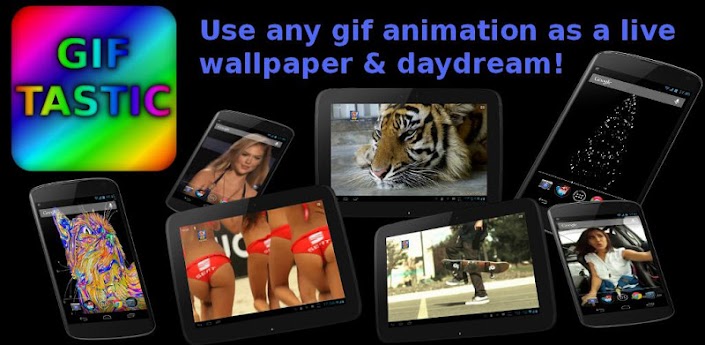
Using a gif file as a live wallpaper is a great feature introduced to android since version 2.1.

The Problem with some gif animations and android < 3.2

You can easily use an app like gif-tastic to use any available gif animation as a gif live wallpaper.

But old android devices lower then 3.2 have some problems displaying some gif animations.
Most gif files are kind of optimized and we have to unoptimize them. But don't worry, the animation will run at the same speed, you won't even notice a difference.

Let us use this gif animation:

If you try to use this animation as a life wallpaper, you will get some very strange results and it will probably look like this:
Displaying an optimized gif file on an old android device

How to fix these gif files using gimp.

Gimp is a great and free image manipulation software. You can download it for free at.
http://www.gimp.org/downloads/ If you are using Windows, get the free windows installer here:
http://gimp-win.sourceforge.net/.

1. Open the broken gif animation and choose "Filters", "Animation", "Unoptimize". Gimp will now quickly unoptimize the gif file and open it in a new window.
fixing a gif file for android live wallpapers


2. Thats it :) Just save the new gif animation. Be sure to check "save as animation" as in the screenshot.
be sure to check "save as animation"

You can also adjust the animation speed if you like. Although gif-tastic (TODO: link) has the option to adjust the animation speed. If you don't know what thats about, just click save.

just click save if you don't know what to do :)

Now you can copy the new created gif file to you smartphone and use gif tastic to display it as a live wallpaper. Enjoy!


The fixed gif animation in an android emulator  with 2.1

I also created a video to show you how to do this. It was quite late, so the video is not really good :)


Sonntag, 23. Dezember 2012

Creating a device frame image from a nexus 4 screenshot

Its a little sad, that device frame generator does not support nexus 4 screenshots yet.
If you are lucky and have a nexus 4 device, but want to create nice device frame images, check out this  webpage where you can use your nexus 4 screenshots:

http://developer.android.com/distribute/promote/device-art.html

Its now called "device art generator" :)


Freitag, 21. Dezember 2012

Android Bandwidth Icon App

android net speed icon appHey guys :)

I just wanted to introduce you to a really cool app. There are several bandwidth monitor apps out there, but not app which shows the actual bandwidth usage while using another app!
Here comes Net Speed Icon.
It continuously runs in the background and notifies you via an notification about your current download rate and current upload rate.

And the best thing is, the app is for free. So get to the play store and download this cool android bandwidth monitor app.


Donnerstag, 20. Dezember 2012

Create screencast videos of you android apps

Hey there.

If you are a cheap ass like me and you don't want to spend any money on an android screencast app, I will tell you today how you can make a really cool video from your android apps with free software!

All you need is linux :)

Recording the android emulator
To record your screen you need istanbul.


  • After you started it, you will notice a small icon on the upper right of your screen. 
  • Do a right click on it and select "select window to record" and select your android emulator. 
  • After this you can click on the icon to stat recording and do what ever you want with your app.
  • If yo are finished, click again on the istanbul icon to stop it and save the video somewhere as "appvideo.avi".


Fixing your video
Istanbul has some problems, so you have to run the following command to fix the video file:
For this you need mencoder.

"mencoder appvideo.avi -ovc lavc -lavcopts vcodec=mpeg4:vpass=1 -oac copy -o appvideo_fixed.avi"

Cropping your video
After this step you are ready to get rid of the emulator screen around your video. This can easily be done using avidemux.

  • Open avidemux and load the file "appvideo_fixed.avi"
  • Now on the left under "video" select "copy" and set it to something like "MJPEG". 
  • Select "Filter" and choose crop filter. You can now crop the emulator out of the video. Best settings for me are left: 20, top 20, bottom 20 and right 435.
  • Now click save and you are done!


Upload your video to youtube and enjoy!

To fix all videos created by istanbul, use this script:

#!/bin/bash
FILES=*.avi
for f in $FILES
do
echo "Processing $f"
mencoder $f -ovc lavc -lavcopts vcodec=mpeg4:vpass=1 -oac copy -o "$f"_fixed
 

 # do something on $f
done


Freitag, 16. November 2012

Android live wallpaper Library

Hey!

Are you looking for someone to create a live wallpaper add for android? Then you are at the right place.
I developed a simple to use library, which I would like to offer you for a small price.

Key Features:
- you need to know eclipse & adt
- no coding necessary
- just some xml editing
- very easy customizable and extendable fragments
- contains actionbar and viewpager
- create a new live wallpaper app in less then 5 minutes!
- will run on all android devices from 2.1 and up
- gif-based
- a documentation so easy, even a 11 year old could create new apps!

You can use this library to easily create hundreds or thousands of live wallpaper apps.

If you are interested, don't hesitate and contact me. I can supply you with a demonstration wallpaper app and answer all your questions.

Dienstag, 9. Oktober 2012

Get some free android live wallpapers

I just found a cool website with a lot of really cool free live wallpapers. Some are just funny, some are incredible hot!


Montag, 1. Oktober 2012

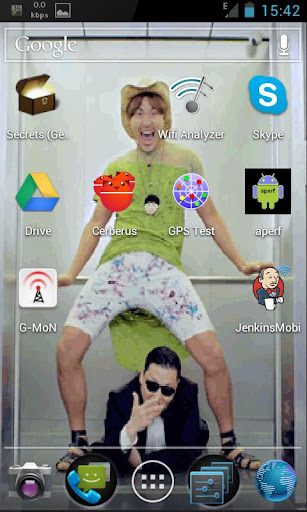
A gangnam style live wallpaper without push ads

Check out this really freaky live wallpaper  at the play store! Its free and contains no push ads!


Donnerstag, 20. September 2012

Changing the icon size in a DraggableGridView

I love DraggableGridView. It's easy to use and looks really nice. I use it in one of my apps, called the DSO-Timer.

But there is one small thing, that bothers me. I couldn't find a way to customize the size of the icons.

So I emailed Thomas Quinn and asked him. A few hours later I received his answer:
Easily done. Just change this section of code in onLayout(...):

        //determine number of columns, at least 2
        colCount = 2;
        int sub = 240;
        w -= 280;
        while (w > 0)
        {
                colCount++;
                w -= sub;
                sub += 40;
        }

To something way simpler, like this:

        //determine number of columns for 50dp children
        colCount = w / 50;

This is the code where the size of the icons is calculated. After playing a bit around in the code, I ended up with this:


Donnerstag, 13. September 2012

Mittwoch, 5. September 2012

Need some screenshots with a nice smartphone frame?


Try Device Frame Generator at the Google Play Store for free. Its a little buggy, but produces nice pictures.

If I want to add a screenshot to a device frame, I always have to try it 2-3 times. The first times it just says "dimension do not match...", but after a few tries with the same image it works :)


This is an integrated screenshot of my app Net Speed Icon inside the new nexus phone.